
GoPro Hero 11, 12 & 13
GoPro Hero 11 • 12 • 13
Precision-Calibrated LUTs for the GoPro Hero 11, 12 & 13
Calibrated per ND filter brand and ND Stop against real footage, so every filter's colour cast is corrected for. No guessing. Just accurate, consistent colour straight out of the box.
Compatible ND filter brands
Freewell PolarPro K&F GoPro HB Series No ND Auto Shutter (no filter required)


As well as getting the LUTS based around the ND Brands like Polar Pro, Freewell and K&F, you also get the equivalent in using No ND FILTER AUTO SHUTTER LUT PACK and instead keep frame rates the same, ideally 50p / 60/ and shutter set to Auto and of course filming in Log for Hero12/13 or Flat profile for Hero 11
The Hero 11/12/13 are included in the pack and calibrated for both profiles Neutral and PL ND filters for brands like Freewell and K&F which is sold individually on our store.
Keep your setting locked at Native for with balance, Lowest ISO, double your frame rate ( unless using No ND Auto shutter)
Included in the individual LUT packs sold separately are the NO ND FILTER AUTO SHUTTER series for FLAT & LOG profiles
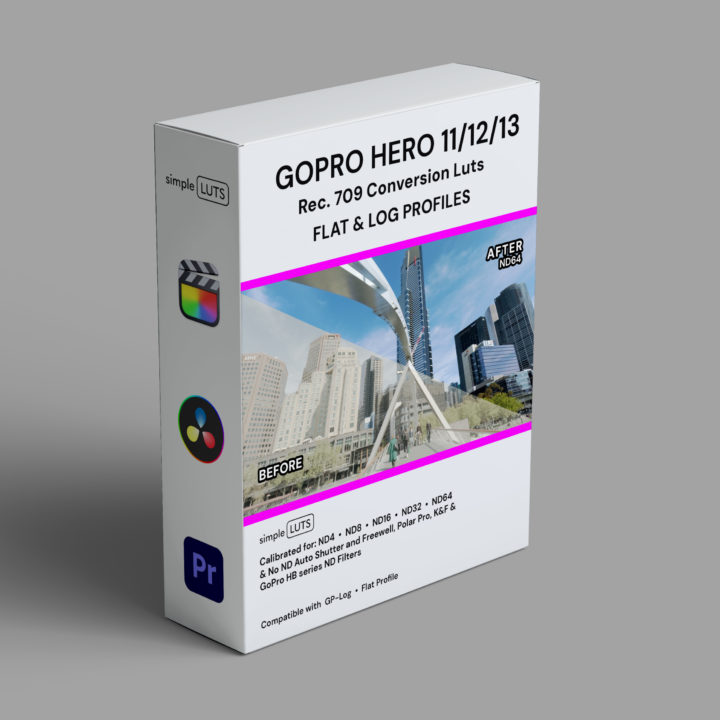
Choose your pack by filter brand
| Brand | Filter types | ND stops |
|---|---|---|
| Freewell | Neutral, PL, VND | ND8, ND16, ND32, ND32WS, ND64 |
| PolarPro | Neutral, PL | ND8, ND16, ND32, ND32WS |
| K&F | VND | ND8, ND16, ND32, ND32WS, ND64 |
| GoPro HB Series | Neutral | ND8, ND16, ND32, ND32WS |
| No ND Auto Shutter | — | ND8E, ND16E, ND32E, ND32WSE |
All brand packs include the No ND Auto Shutter LUT pack. Also available separately.
All packs include LUTs for both Flat and Log profiles.
WS = Winter Sun (calibrated for low winter light).
E = Equivalent ND stop (no physical filter required).
GoPro Hero 11, 12 & 13 Settings Guideline
Here’s a simple setup guideline to ensure optimal video quality, with an emphasis on using simple LUTs and ND filters:

Set White Balance
Lock white balance to Native in Protune (Flat or Log). This keeps colour temperature consistent across every shot and gives Simple LUTS a clean foundation to work from.

Adjust ISO
Set ISO to the lowest possible value to reduce noise and keep your footage clean. Lower ISO means more detail for your LUTs to work with in post.

Adjust Frame Rate
Choose your frame rate for the look you're after. 24fps for a classic cinematic feel, or 50/60fps for slow-motion flexibility. Consistent frame rates keep your LUTs uniform across every shot.

Set Shutter Speed
Set shutter speed to double your frame rate (e.g. 1/50 at 24fps) for natural motion blur. The 180-degree rule is essential for a cinematic look. For slow motion, try 50/60p with 1/100 or 1/120. Using No ND Auto Shutter? Just match the frame rate.

Use ND Filters
Use ND filters from the brands on our list to control exposure without changing shutter or ISO. Each Simple LUT is calibrated to that specific filter and stop, so colour stays accurate every time.

Apply Simple LUTs
Apply the Simple LUT matching your filter brand and ND stop. Works with both Flat and Log profiles, bringing out full dynamic range and colour depth with no colour-cast guesswork. Shooting without ND? Use the No ND Auto Shutter LUTs. White balance locked at Native, lowest ISO.
Good to know
The Hero 12/13 shoot in Log profile. The Hero 11 uses Flat. Both are included in every pack.
A note on GoPro and jitter
Shooting handheld with ND filters at slow shutter speeds will produce noticeable jitter that’s hard to recover in post. Gyroflow can help with some footage (particularly FPV with micro shutters), but it’s not a guaranteed fix.
Our recommendation: if you’re shooting handheld, use the No ND Auto Shutter pack and keep your frame rate as-is. Want that nice motion blur? Use a gimbal with your ND filters and you’re sorted.
Clean footage in, clean colour out.
Simple LUTS are also available for the Sony FX6, Sony FX3/30 and iPhone 17 Pro. All calibrated to the same standard.
