
DJI Mini 4 pro
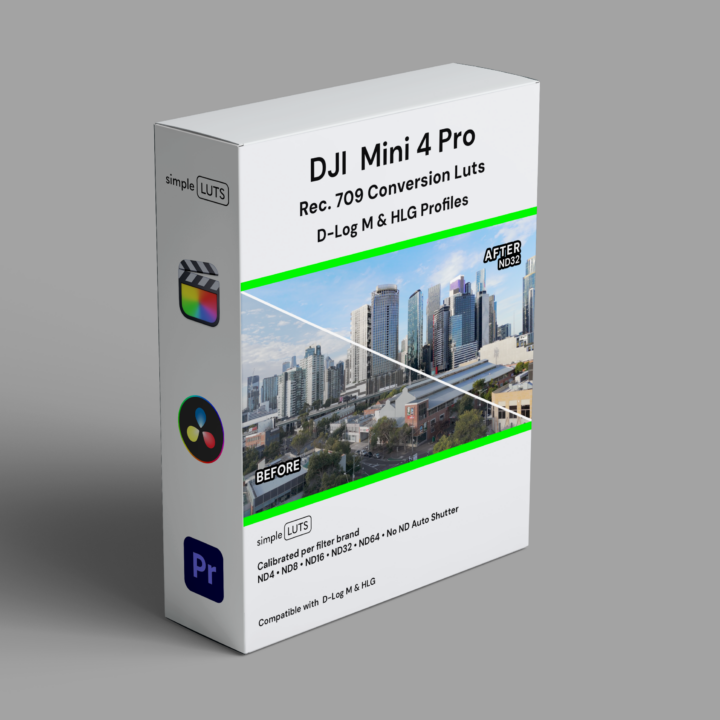
Precision-Calibrated LUTs for the DJI Mini 4 Pro.
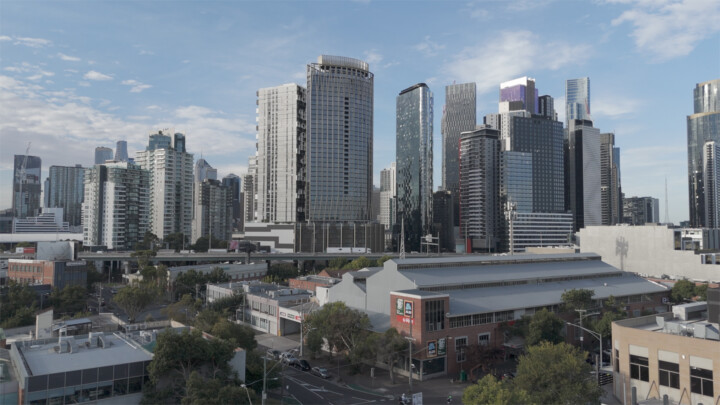
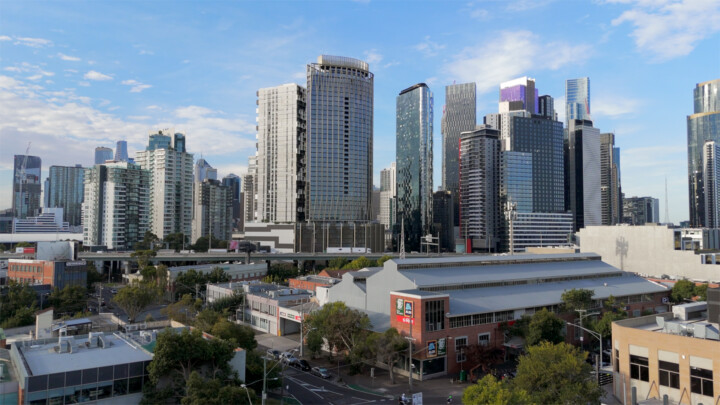
DJI Mini 4 Pro Simple LUTS pack is built from real-world footage — shot on location, calibrated against X-Rite colour checker and white balance cards, and tuned per ND filter brand and stop.
Each ND filter shifts colour differently — we measure it, we correct for it. No guessing. Compatible with D-Log M and HLG profiles. Every brand pack also includes the No ND Auto Shutter LUT pack, also available separately.
LUTs are available for Freewell, PolarPro, and K&F Concept VND filters — each calibrated to that brand’s specific colour characteristics. Every stop from ND8 through ND64 is individually colour balanced, including a dedicated ND32 Winter Sun variant for lower colour temperature light.
Learn more about this drone on the official DJI product page.
DJI Mini 4 Pro Settings Guide
The Mini 4 Pro shoots D-Log M and HLG. D-Log M gives you the most dynamic range and the flattest image, that’s where Simple LUTS does its best work. HLG is a lighter log curve, easier to work with but less headroom for grading. Both are supported.
DJI Mini 4 Pro ND Filter Compatibility
| ND Stop | Freewell Neutral • PL • VND |
PolarPro Neutral • PL |
K&F Concept VND |
No ND Auto Shutter |
|---|---|---|---|---|
| ND8 | ✔ | ✔ | ✔ | ND8E |
| ND16 | ✔ | ✔ | ✔ | ND16E |
| ND32 | ✔ | ✔ | ✔ | ND32E |
| ND32 WS* | ✔ | ✔ | ✔ | ND32WSE |
| ND64 | ✔ | ✔ | ✔ | ND64E |
*WS = Winter Sun — calibrated for lower colour temperature light.
E = Equivalent ND stop (no physical filter attached, Auto Shutter).
DJI Mini 3 & 4 Pro Settings
Here’s a simple setup guideline to ensure optimal video quality, with an emphasis on using simple LUTs and ND filters:

Set White Balance
Lock white balance at 5600K. Every Simple LUTS pack is calibrated at 5600K. Match the camera to the LUT.

Adjust ISO
Set ISO as low as possible. Lower ISO means less noise and a cleaner image for grading

Adjust Frame Rate
24fps for cinematic, 50p/60p for slow motion. Pick your frame rate and keep it consistent across your shoot.
Set Shutter Speed
Double your frame rate — 24fps = 1/50, 50p = 1/100, 60p = 1/120. This is the 180-degree shutter rule. If using No ND Auto Shutter, just match the frame rate.

Use ND Filters
ND filters control exposure without changing your shutter speed or ISO. Use a brand from the compatibility table above — each one is calibrated individually.

Apply Simple LUTs
Drop the matching LUT onto your footage in FCPX, DaVinci Resolve, or Premiere Pro. Select D-Log M or HLG, match the ND filter brand and stop. Done.
D-Log M Settings
D-Log M gives you the widest dynamic range and the flattest image. This is where conversion LUTs make the biggest difference.
EV Compensation: Set to -0.7 to -1.0 for slight underexposure. Protects highlights in D-Log M and recovers easily in post. Only available in Auto Shutter mode.
Sharpness: Low or medium. Let your NLE handle sharpening in post.
HLG Settings
HLG is designed for HDR displays but works for SDR delivery too. Your Simple LUTS pack includes HLG-to-SDR conversion LUTs — import to a Rec.709 timeline and conform. Less grading required than D-Log M.
EV Compensation: Set to -0.3 to -0.7 to retain highlight detail. Auto Shutter mode only.
Sharpness: Low or medium, same as D-Log M.
Buy once. Keep forever. Use anywhere.
No monthly fees. No subscription. No per-project licensing. Your LUTs are yours — use them on every project, every camera, every client.
Simple LUTS are also available for the Sony FX6, Sony FX3/30, iPhone 17 Pro, DJI Osmo Pocket 3, and GoPro Hero 13 — all calibrated to the same standard. Shot on a DJI Mini 4 Pro? These LUTs are built specifically for it.